
MK-Studios Airport Tools

for Microsoft Flight Simulator 2024

MK Airport brings the ground side of MK Studios airports into your EFB tablet.

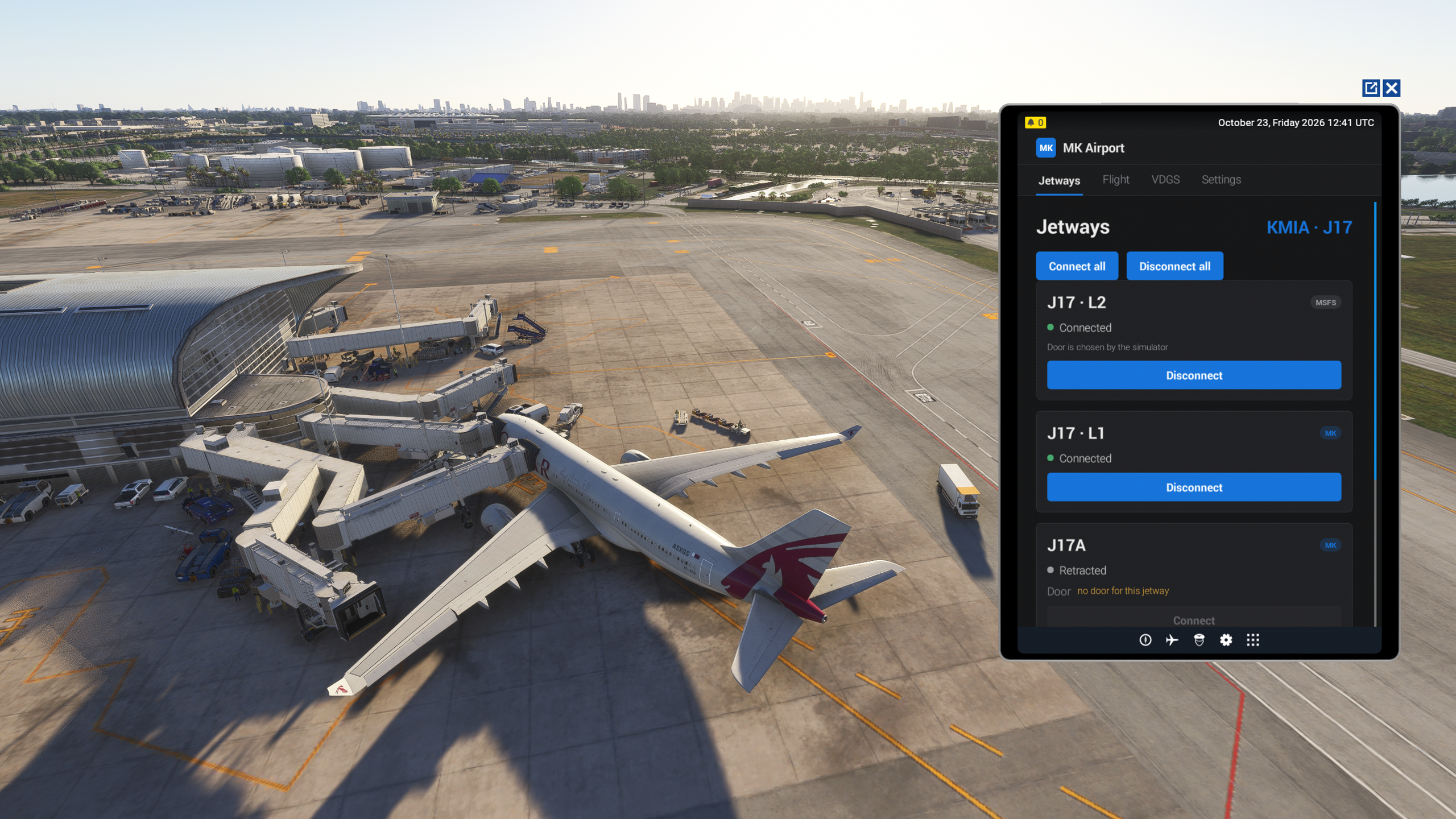
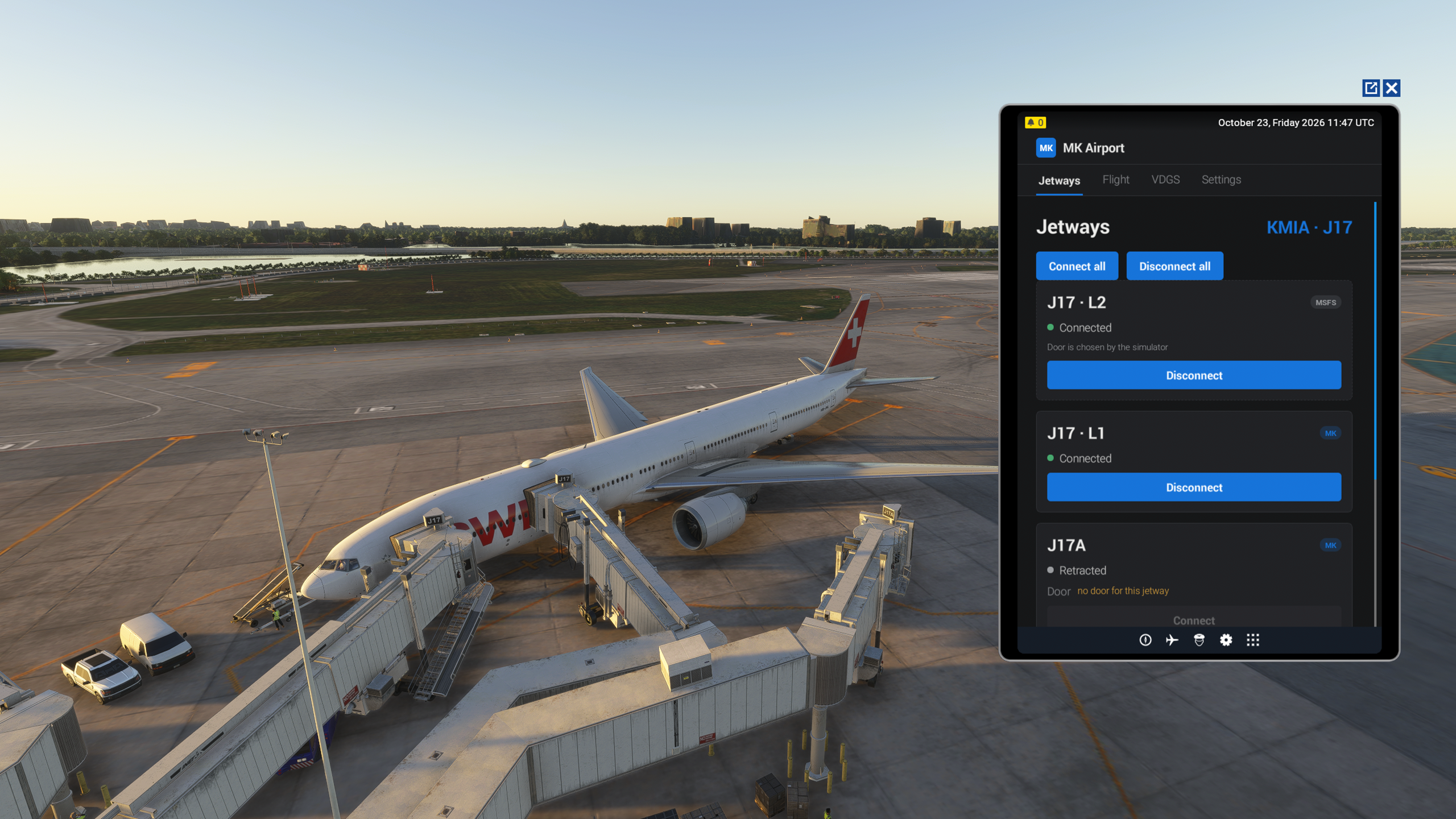
Our airports run their own jetways next to the default MSFS ones: gates with two or three jetways, upper-deck bridges, real door logic. MK Airport puts all of them on one screen. Pick a jetway and a door, or press Connect all: the MSFS jetway goes first, then the MK Studios jetways move to the free doors in the right order, so they never block each other. Doors behind the wing and doors already in use are skipped, and the aircraft door opens when the jetway arrives.

You don't even need the tablet for that. MK Studios jetways follow the default MSFS jetway, whoever calls it: the sim menu, ATC, GSX, or your aircraft. If your aircraft can call a jetway, it already works with ours.

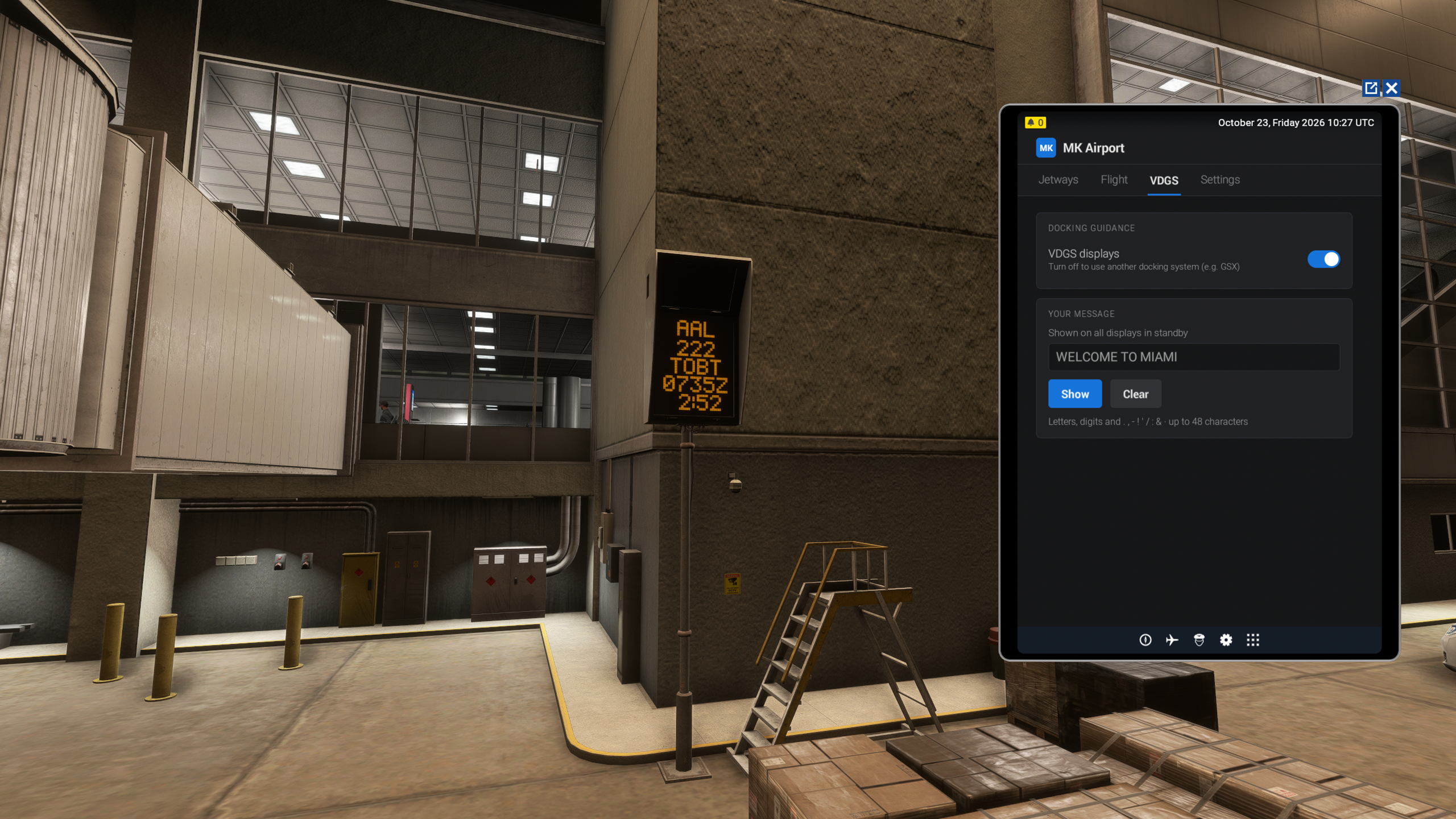
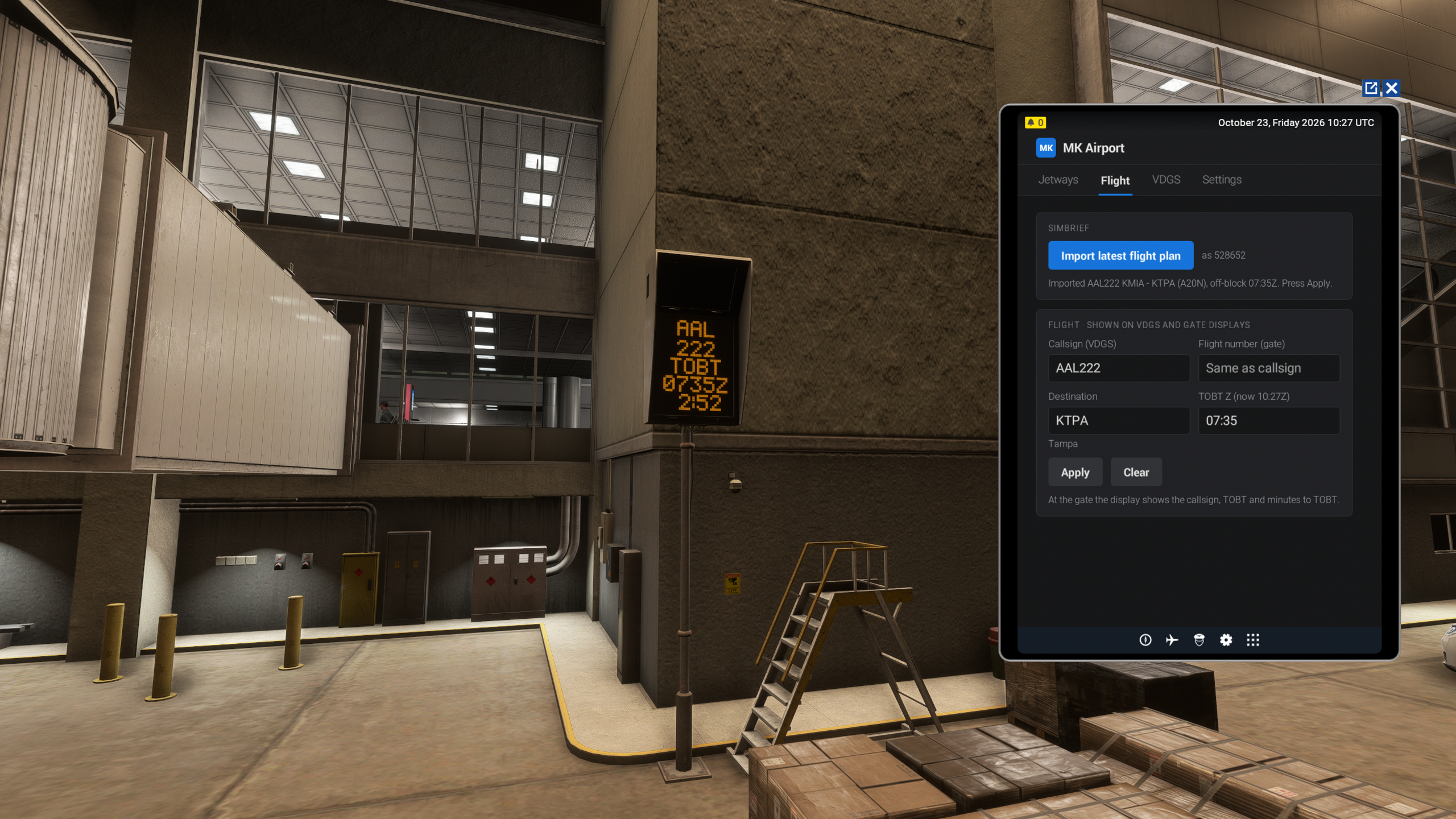
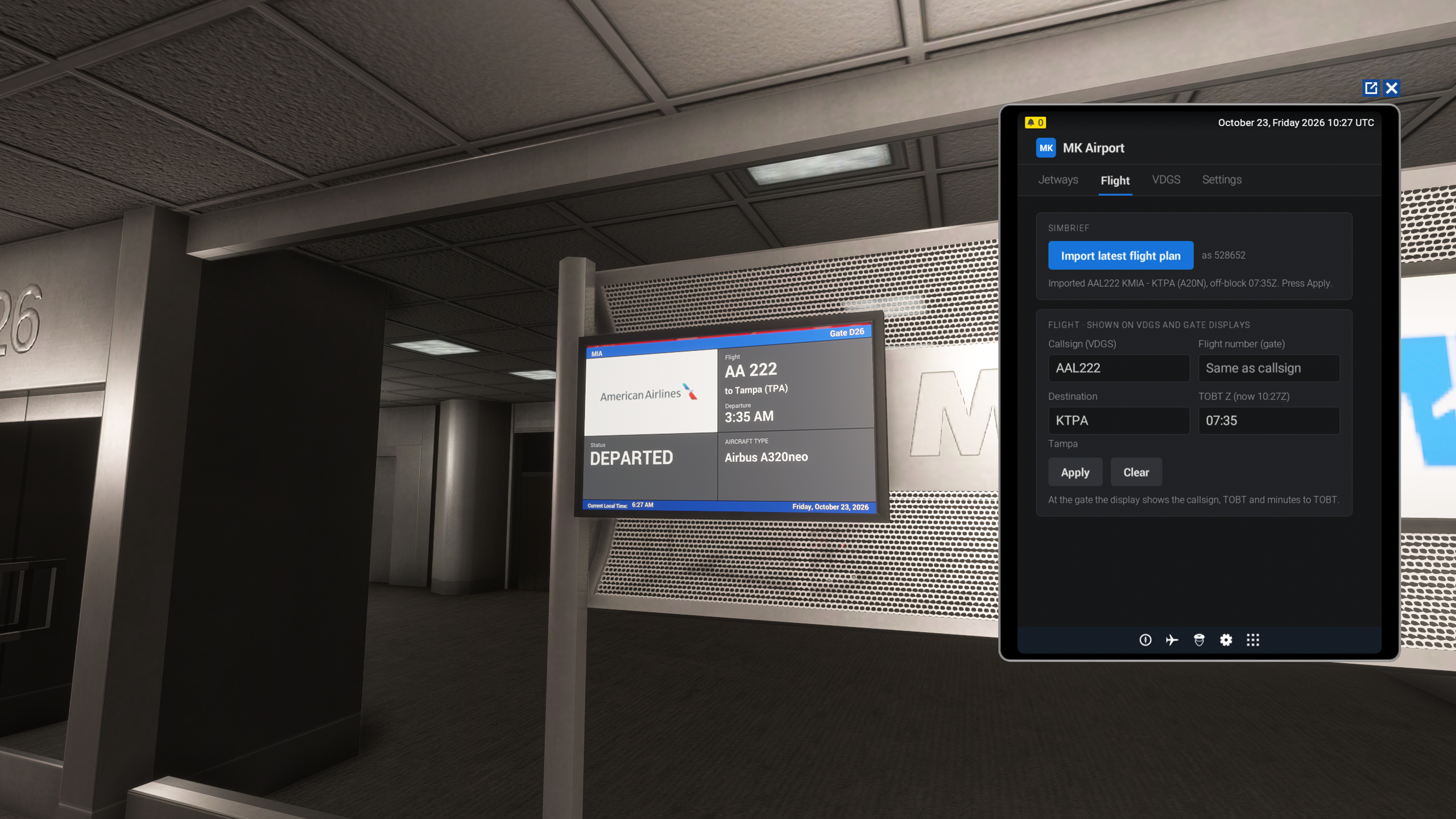
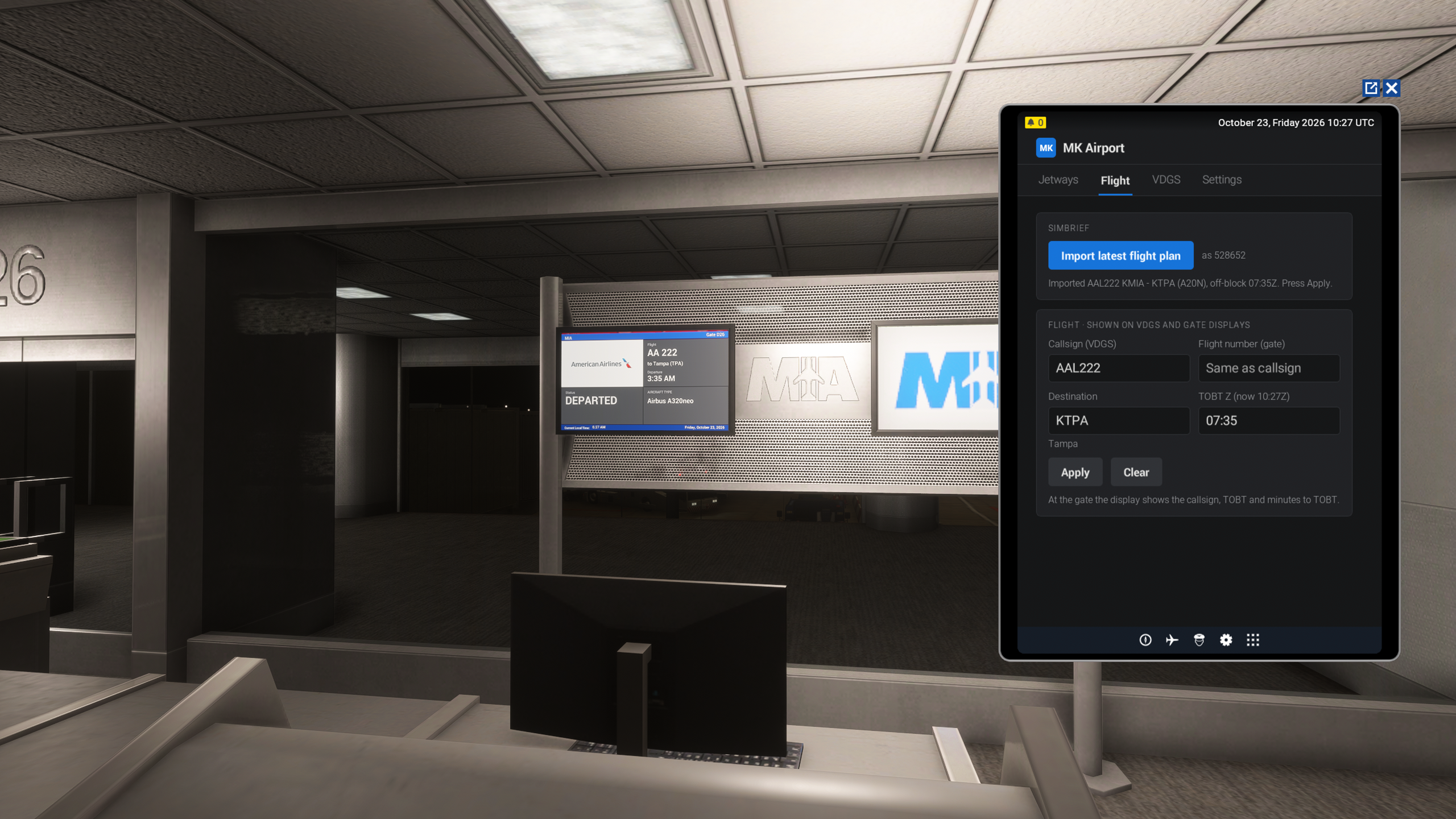
Your flight comes to the airport too. Import your latest SimBrief plan with just your SimBrief username, or type it in. The Safedock-style VDGS shows your callsign and TOBT, and the gate board above the boarding door shows your flight number, airline logo, destination, and departure time, switching to DEPARTED after TOBT.

Requirements:

  • Microsoft Flight Simulator 2024.
  • An MK Studios airport with the MK Airport module.
  • Without the app, the airport still works: the VDGS guides you in, and MK Studios jetways follow the MSFS jetway.

More MK Airport integrations are coming: more gates with MK Studios jetways and more MK Studios airports will support the app over time.

Key Features

  • Jetways: every MK Studios and MSFS jetway at your stand, with per-door control and one-tap Connect all / Disconnect all
  • Follow the MSFS jetway: MK Studios jetways connect and disconnect together with the default jetway, from any source
  • Automatic doors: the door opens when an MK Studios jetway attaches and closes before it leaves
  • Smart door choice: one jetway per door, no doors behind the wing, upper-deck bridges only to upper-deck doors
  • Flight data: callsign, flight number, destination, and TOBT (UTC), with SimBrief import (username only, no login)
  • VDGS: turn the docking guidance on or off (for example, to use the GSX VDGS instead) and show your own message on the screens
  • Gate boards: flight number, airline logo, destination, boarding and departed status
  • Settings: airport effects (steam and smoke, off by default for performance), module status, and the log file location for support
  • 3rd-party API: aircraft and tool developers can connect and disconnect jetways with one L-var

Screenshots

MK-Studios Airport Tools screenshot MK-Studios Airport Tools screenshot MK-Studios Airport Tools screenshot MK-Studios Airport Tools screenshot MK-Studios Airport Tools screenshot MK-Studios Airport Tools screenshot

Developer

This product has been produced by MK-STUDIOS. For MK-STUDIOS product support, please go to http://mkstudios.pl/support/index.php

View MK-STUDIOS on OrbxDirect


Compatibility

General

You will need Orbx Central to download and install this product. Orbx Central runs on Windows 7+, macOS and Linux. An internet connection is also required.

The download size of this product is 137.23 KB. It uses 387.77 KB when installed.

Supported Simulators

This product is compatible with the following simulators:

  • Microsoft Flight Simulator 2024

Supported Operating Systems

This product is compatible with the following operating systems:

  • Windows